
K2000 Release Version 10
Welcome to the 10.0 release of K2000. This version contains a number of updates that we hope you will enjoy. Below you will find an overview of some of the new features and important enhancements
If you are a maintenance contract holder, you can download the latest version here for free:

Customer Portal
With the Customer Portal, we offer you centralized cloud storage to upload and share viewers, videos or other data.
Overview of Created Viewers
All created and saved viewers can be clearly displayed sorted by data type.
From the overview, each individual viewer can also be opened and viewed.

Automatically Transfer New Inspections
Version 10 of K2000 offers new ways to simplify data exchange between the inspection program and office software. For example, it is possible to export all new, i.e. not yet transferred, inspections of a specified project as a transfer with a single keystroke.
Additionally, various preset options allow you to customize the transfer to your exact requirements.
Quickly Import Inspections
When reading transfer data, any number of transfer files can now be selected and imported in a single operation.
Each inspection now receives a timestamp. This additionally allows all data created from a specific point in time to be imported/exported.

Transfer of Sections to GS2000
Starting from version 10, it is possible to transfer section inspections as master data from the site plan to a property and display them three-dimensionally.
Additionally, the connection information from section inspections is displayed as pipe master data. This makes it possible to perform a precise pipe inspection in GS2000 based on the section inspections examined in the site plan.
For this purpose, the new menu item Cut out with objects in the site plan module LP2000 is now available in the property wizard. From this menu item, the user can go directly to the site plan module and cut out the desired objects. The marked objects are then displayed in 3D in GS2000 including the background plan.
XML Analysis
Often files are received from the client without knowing exactly what they contain. The new file analysis displays important information to get an overview of the contents of an XML file.
Transfer of Geoinformation from the Site Plan
When exporting sections, the option Export sections with coordinates can be selected in the export and transfer disk settings. This functionality supports the georeferenced export of sections.
If the associated master data was created in LP2000, the start and end points of the sections are automatically calculated from the manhole coordinates.

Creating a Manhole with Coordinates
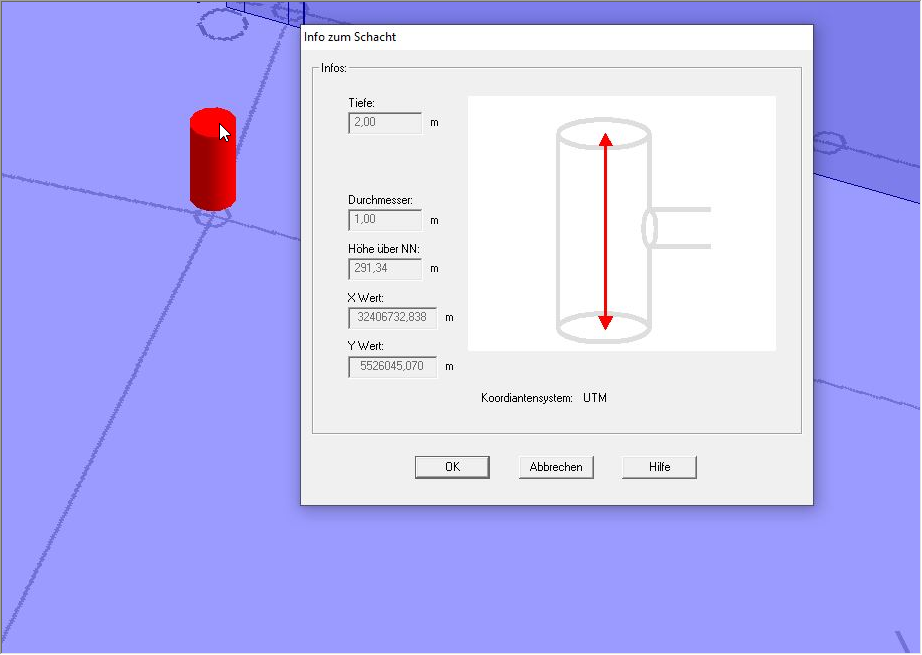
When creating a manhole in the property module, its position is automatically specified. The coordinate system stored in the plan is displayed as an orientation aid. When moving the manhole, the coordinates are automatically updated.
Add Manholes via Import
Starting from version 10, it is possible to create manholes in the property module via master data import from ISYBAU XML files.
Connection Height in Manholes
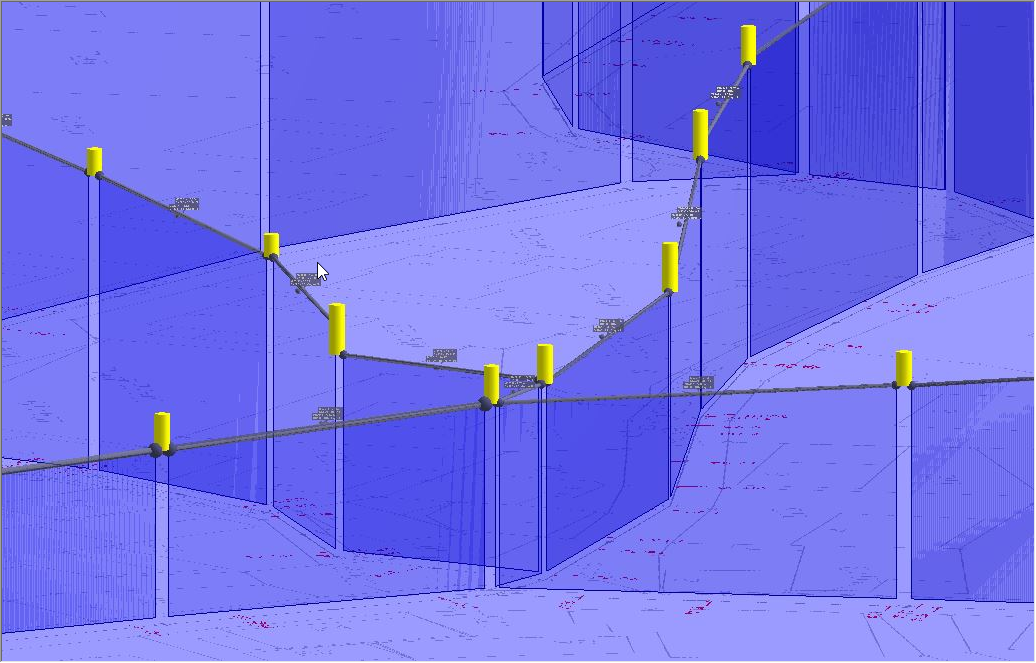
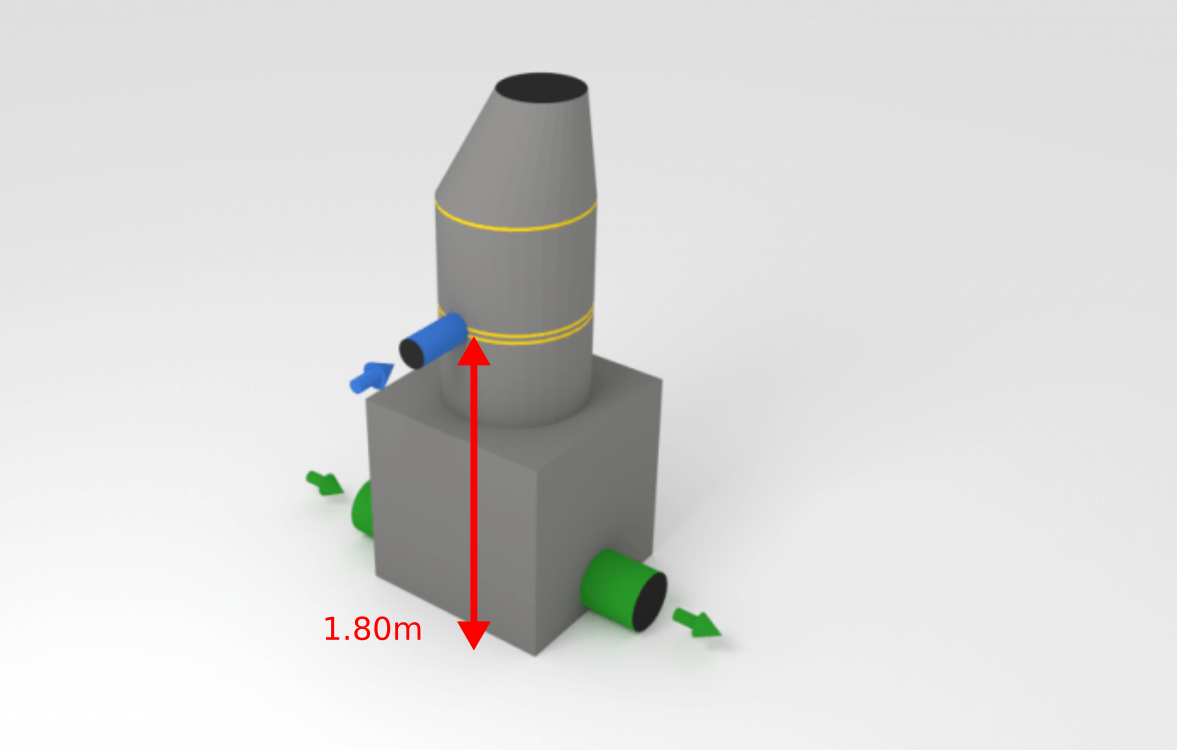
In inspected manholes, sections can be assigned to a connection. When the section is later exported with coordinates, the exact connection height can be calculated based on the position of the connection in the manhole.
M150 XML Type B Inspection Data Import GS2000
One or multiple M150 XML Type B inspection data files can be imported into the property module.
Export Multiple Properties in One File
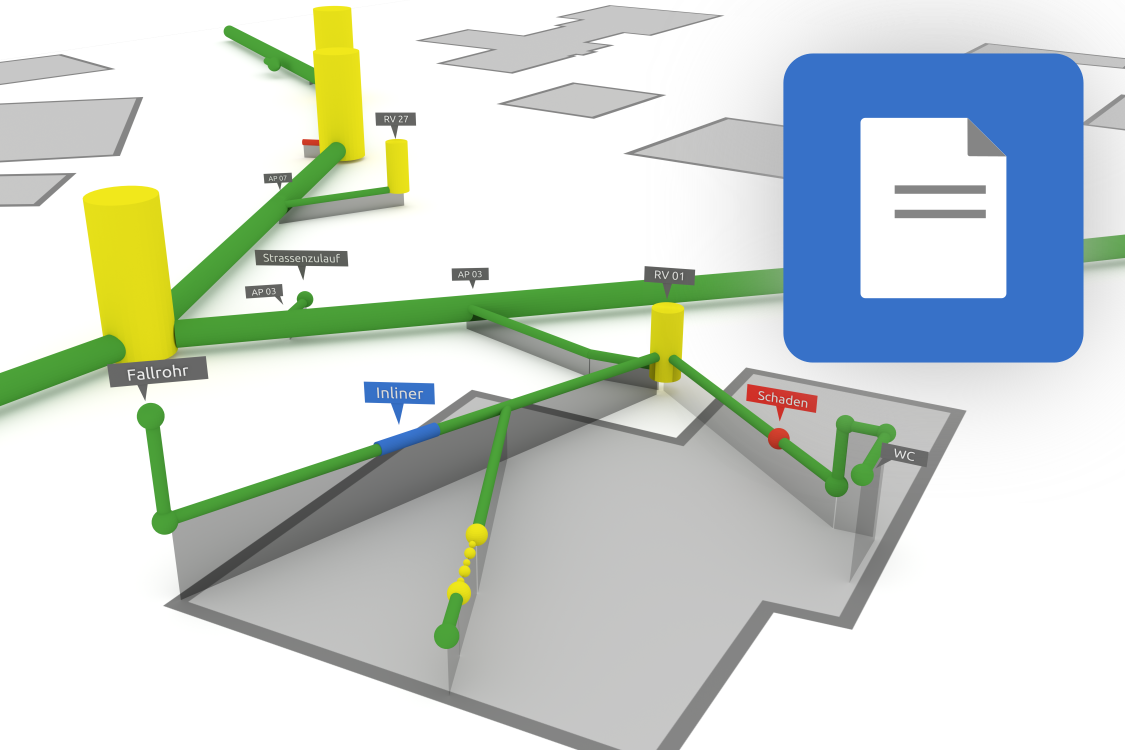
Starting from version 10, it is possible to combine multiple properties of a project into a single XML file.
Improved Excel Export
From the property module, any number of inspections can be combined in a single Excel file.

Welcome to the 10.0 release of K2000. This version contains a number of updates that we hope you will enjoy. Below you will find an overview of some of the new features and important enhancements
If you are a maintenance contract holder, you can download the latest version here for free:
Customer Portal
With the Customer Portal, we offer you centralized cloud storage to upload and share viewers, videos or other data.Overview of Created Viewers
All created and saved viewers can be clearly displayed sorted by data type.From the overview, each individual viewer can also be opened and viewed.
Automatically Transfer New Inspections
Version 10 of K2000 offers new ways to simplify data exchange between the inspection program and office software. For example, it is possible to export all new, i.e. not yet transferred, inspections of a specified project as a transfer with a single keystroke.Additionally, various preset options allow you to customize the transfer to your exact requirements.
Quickly Import Inspections
When reading transfer data, any number of transfer files can now be selected and imported in a single operation.Each inspection now receives a timestamp. This additionally allows all data created from a specific point in time to be imported/exported.
Transfer of Sections to GS2000
Starting from version 10, it is possible to transfer section inspections as master data from the site plan to a property and display them three-dimensionally.Additionally, the connection information from section inspections is displayed as pipe master data. This makes it possible to perform a precise pipe inspection in GS2000 based on the section inspections examined in the site plan.
For this purpose, the new menu item Cut out with objects in the site plan module LP2000 is now available in the property wizard. From this menu item, the user can go directly to the site plan module and cut out the desired objects. The marked objects are then displayed in 3D in GS2000 including the background plan.
XML Analysis
Often files are received from the client without knowing exactly what they contain. The new file analysis displays important information to get an overview of the contents of an XML file.Transfer of Geoinformation from the Site Plan
When exporting sections, the option Export sections with coordinates can be selected in the export and transfer disk settings. This functionality supports the georeferenced export of sections.If the associated master data was created in LP2000, the start and end points of the sections are automatically calculated from the manhole coordinates.
Creating a Manhole with Coordinates
When creating a manhole in the property module, its position is automatically specified. The coordinate system stored in the plan is displayed as an orientation aid. When moving the manhole, the coordinates are automatically updated.Add Manholes via Import
Starting from version 10, it is possible to create manholes in the property module via master data import from ISYBAU XML files.
Connection Height in Manholes
In inspected manholes, sections can be assigned to a connection. When the section is later exported with coordinates, the exact connection height can be calculated based on the position of the connection in the manhole.M150 XML Type B Inspection Data Import GS2000
One or multiple M150 XML Type B inspection data files can be imported into the property module.
Export Multiple Properties in One File
Starting from version 10, it is possible to combine multiple properties of a project into a single XML file.Improved Excel Export
From the property module, any number of inspections can be combined in a single Excel file.
All Changes in Detail
Features
GS2000
- Cut out from LP2000 with objects:
- Transfer inspection data to GS2000
- All connection information (position and location) of sections is transferred and can be used as starting points
- This allows precise pipe inspection in GS2000
- The vertical position of the section can be calculated via the abbreviations DCA/DCG (connection pipe)
- Additional import options: Inspection data import, pipe route including master data
- Export: Combine multiple properties in one file
- Create a manhole in GS2000 with X,Y,Z coordinates
- After database query, objects are automatically marked
- Inspection of master data is now possible “with” and “against” flow direction
Data Exchange
- Import files (XML) now have an analysis function that provides information about the type and content of the file
- Automatic data transfer of inspection data. By setting a timestamp, newly captured data is automatically selected and transferred
Hardware Compatibility
- Schropp-OSD (I.S.T. systems)
- IBAK-HD systems
- IBAK Softcontrol
- Rausch HD systems
- Rausch Dmacro Dll for HD systems and pressure testing
- Rausch OSD (VTG2RCA4)
- K2000 SKI mode supports Ipek CCU1
- JT Kanda
Enhancements
ISYBAU
- Austria export revised
- Import: Calculate manhole depth
- Automatic defect grouping according to ISYBAU 2017
M150
- Inspection data import revised (stationing, video names, etc.)
Transfer
- Layout made clearer
- Import of multiple transfer data possible
- Folder structure adapted
- Quick video copying
- Data provided with additional timestamp (Transfer + Viewer)
Interfaces
- GIS support for NS2000 / KS2000 has been improved. GIS systems can start the viewer and display specific section inspections
- Import of DXF files improved
- Transfer of geoinformation from the site plan when exporting section inspections
- Status field added, better support for BaSys Paderborn
- Novakandis support extended (Export, Survey)
- BWB-Berlin: Automatically select matching mask and reference table
- BaSys available for EN13508-2:2011
- Shortened testing times are now possible for water tests with DWA A139
Excel Export
- Combine multiple properties in one file
- Output of defect class ISYBAU 2001
General
- Menu structure layout revised
- Haite download page accessible via help menu
- SKI search function displays closed connections with a dashed line
- Database query: Object type readable
- M150 masks revised
- Viewer generation: Target path selectable
- Database converter improved
- Manhole graphic aligned with EN standard
- Update program for server versions revised
- Video player improved
Bug Fixes
GS2000
- Problem assigning a new base plan resolved
- Error exporting manhole master data fixed
- Problem with GS2000 export of large projects with geodata resolved
- Problem drawing BCA removed
- Pipes and geodata disappearing after printing
- Incorrect numerical addition (0.0) in defect description removed
- Problems setting manhole height above sea level resolved
- DWA M150: Geodata was not transferred when manholes were exported
- Error creating property survey fixed
- With the option “Set pipe edge to manhole edge”, only pipes inspected from manholes are moved to the manhole edge. Inspection start points are no longer moved
Other
- General import: Problems with the “Date” field resolved
- EN13508-2:2011: BCBZ added
- Input Characterization 2 for notation abbreviation DCA was removed from the EN13508:2011 catalog
- The digital overlay device remembers the last selected color
- Problem with German umlauts when adding PDF documents resolved
- Standardized annotations are no longer transferred to subsequent defects during ISYBAU XML export
- Program crash in connection with Softcontrol resolved
- Site plan displays class colors for special defects (e.g., deformation) correctly
- Error editing annotations for connections resolved
- All reports now receive a timestamp